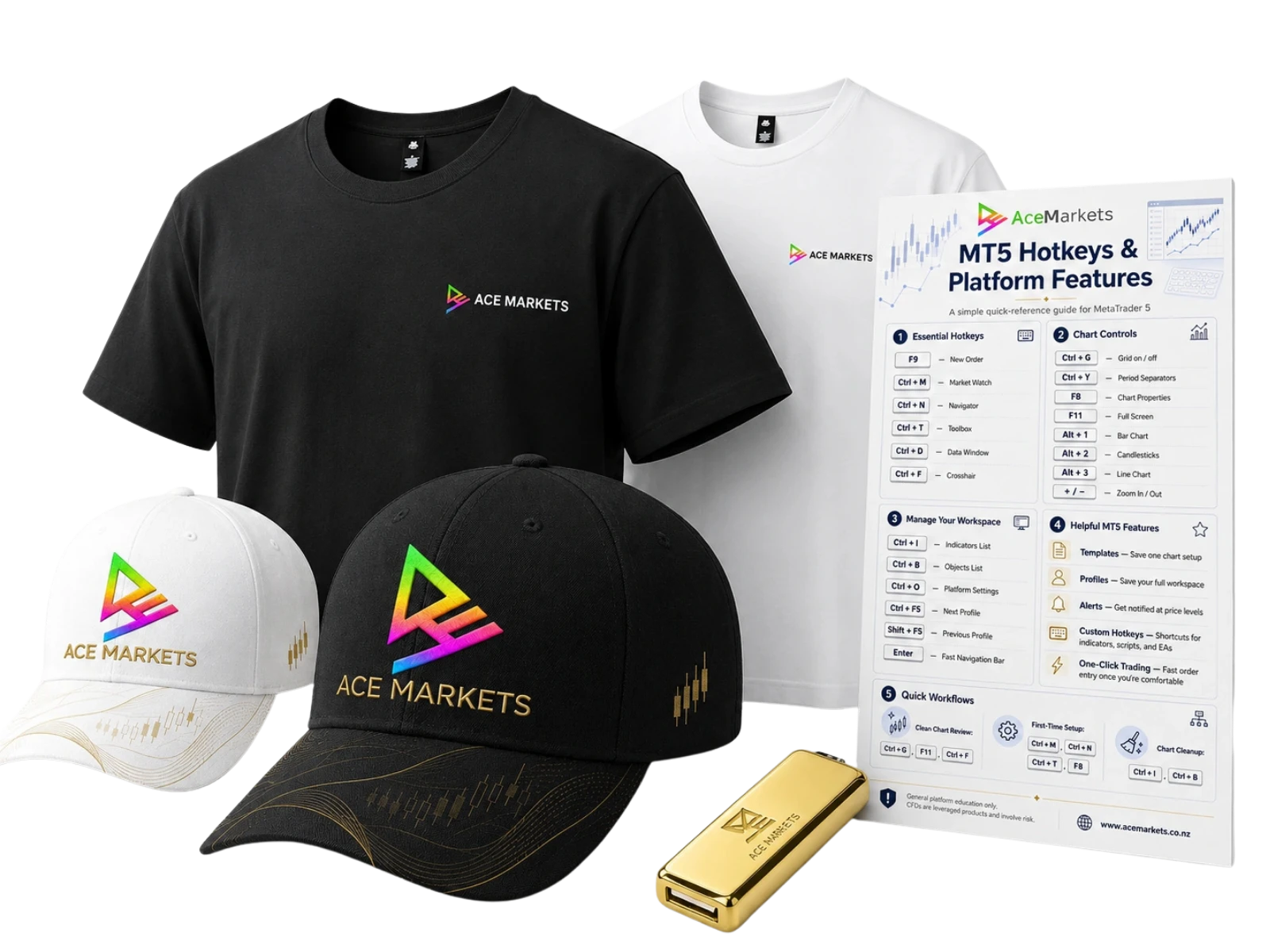
The full Trading Desk Setup
A physical pack, private setup call and desk resources built around getting your MT5 platform cleaner, clearer and easier to work through.
Ace Markets Trading Desk Setup
If you are already watching markets, using trading platforms or considering CFD access through MT5, the next step should not feel like guesswork. Request the Ace Markets Trading Desk Setup and speak with the team about getting your platform, workspace and pack organised properly.
Available to approved applicants. Terms, eligibility and availability apply.
Ace Markets contacts you directly about your pack, setup call and onboarding process.
Get help understanding the main platform areas, workspace, charts, Market Watch and order windows.
Choose real items you can receive, keep on your desk and use as part of your setup process.
Submit your request, speak with the team and work through the account and setup process from there.
The pack you choose
The Trading Desk Setup is designed to feel real from the first step. You choose your black or white pack items, request the setup and speak with Ace Markets about getting your MT5 workspace organised.
A physical pack, private setup call and desk resources built around getting your MT5 platform cleaner, clearer and easier to work through.
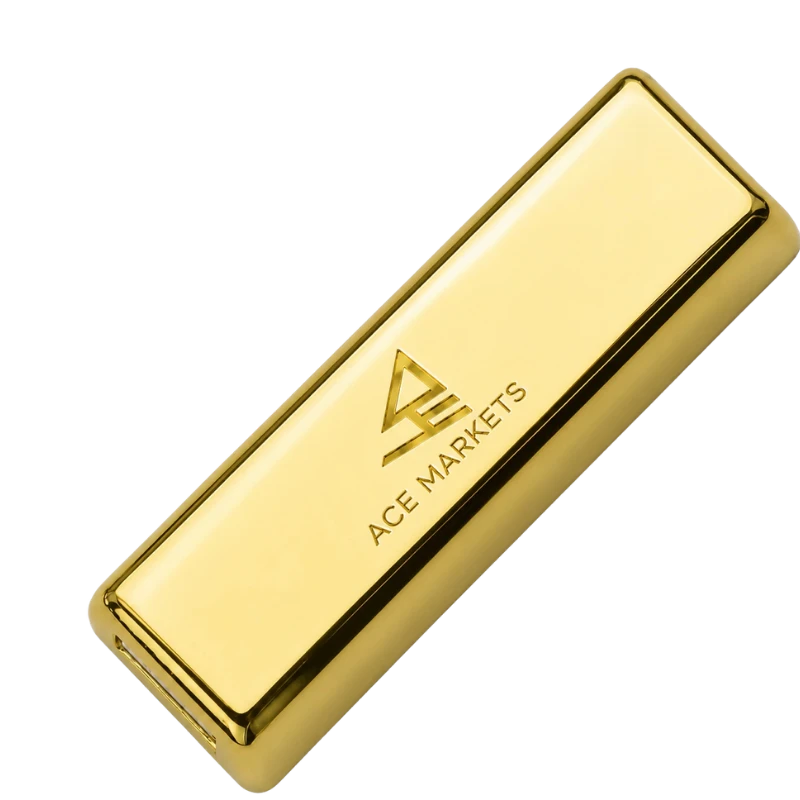
Keep your setup videos, walkthroughs, hotkey resources and platform guides in one place.
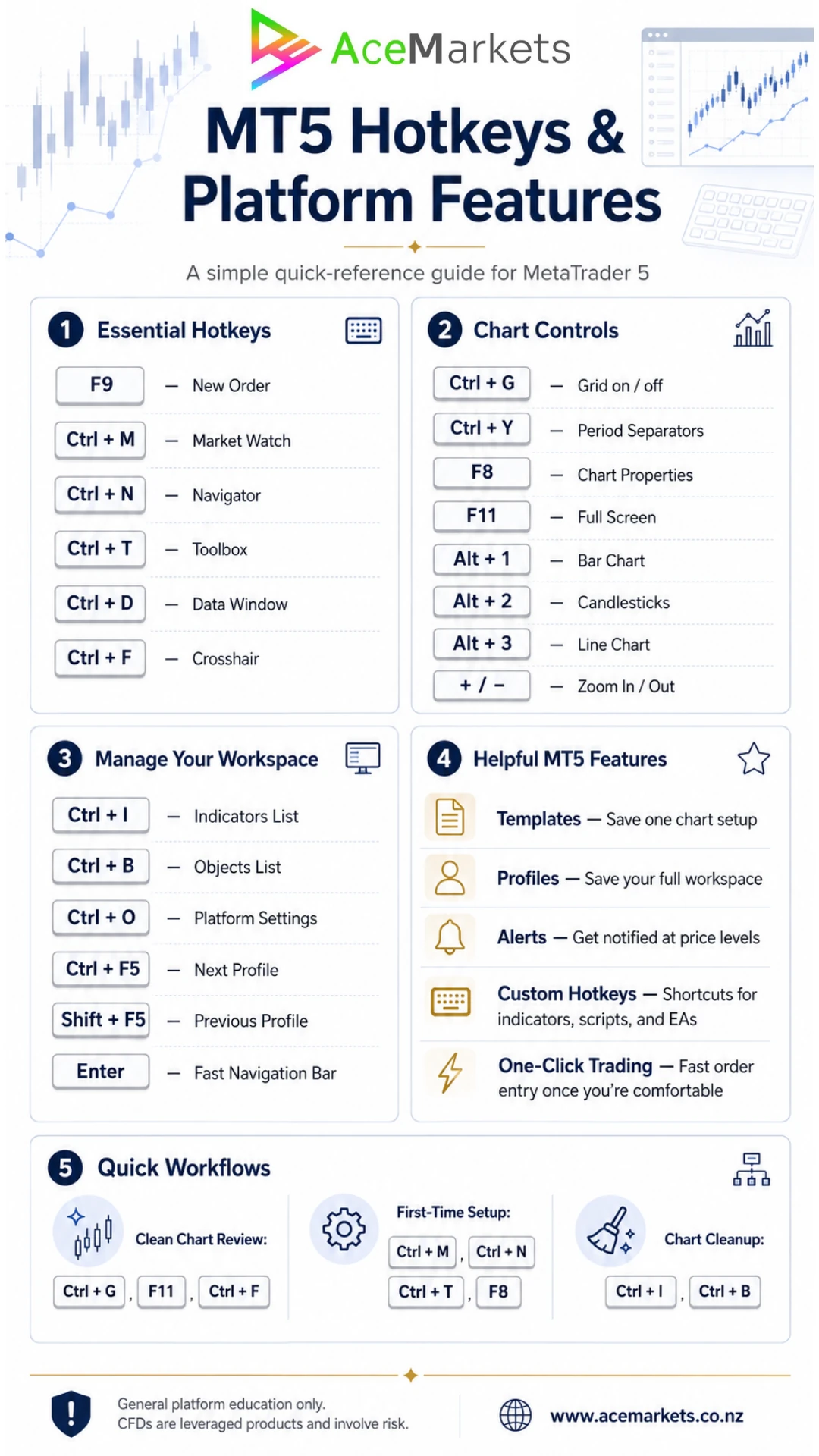
A quick desk reference for shortcuts, chart controls, platform windows and common workflows.
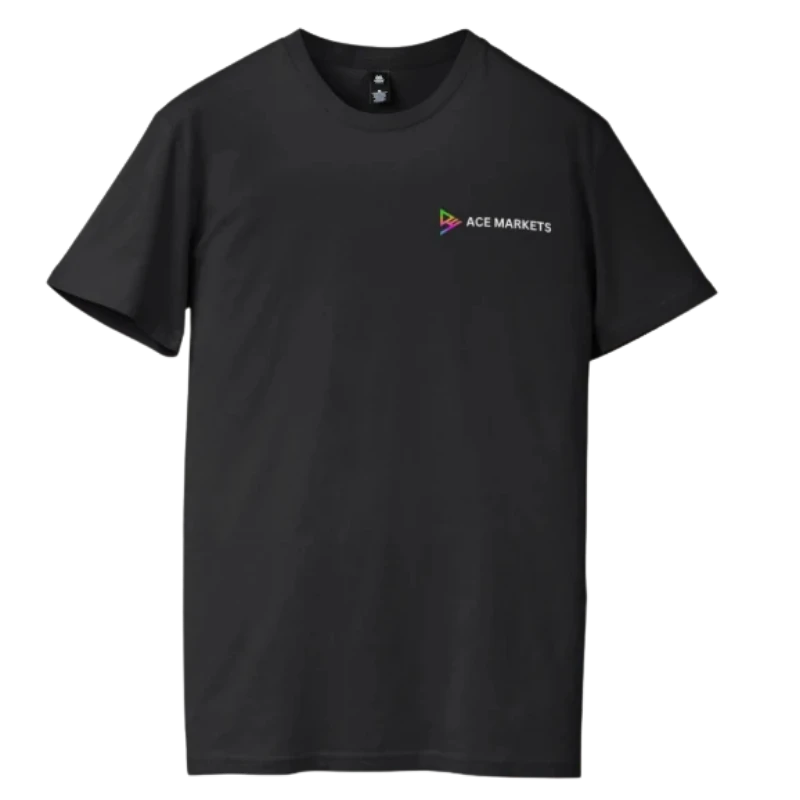
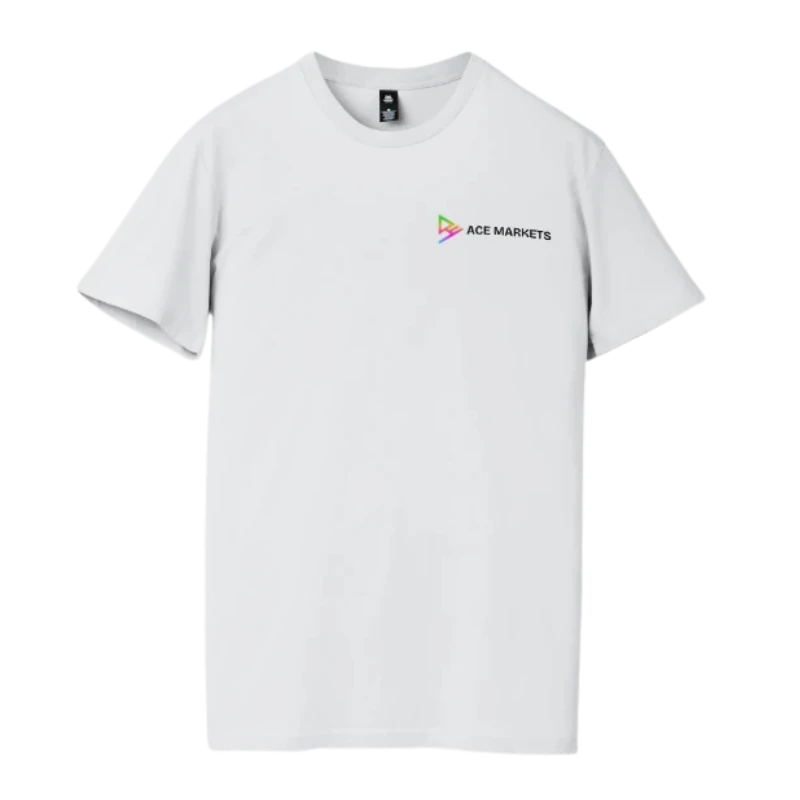


Choose your tee colour and cap colour in the form before the Ace Markets team follows up.
The real problem
MT5 has charts, symbols, Market Watch, order windows, Toolbox tabs, timeframes, indicators and account areas. It is a serious platform, but without a clear setup, it can quickly feel cluttered.
The Trading Desk Setup is built around that exact moment: when you want access to a professional platform, but do not want to piece together the layout, workflow and tools alone.
Charts, tabs and tools can pile up quickly when there is no defined workspace structure.
FX, gold, indices and energy are easier to follow when Market Watch is organised properly.
Platform areas make more sense when someone explains what they are and how they fit together.
Before and after
The goal is simple: move from guessing your way around the platform to having a cleaner workspace, physical resources beside you and a real person walking through the main areas.
The real value
The physical pack gets attention. The private MT5 setup call is what makes the offer valuable. Approved applicants can speak with an Ace Markets professional and work through the platform step by step.
Walk through MT5 login, platform access and the main areas you need to recognise first.
Set up charts, workspace areas and the platform layout so it feels easier to follow.
Organise commonly followed markets such as FX, metals, indices and energy instruments.
See where order details sit and how the core platform mechanics are structured.
Review the Toolbox, account areas, chart controls, shortcuts and general platform workflow.
Ask setup-related questions and understand what happens next in the onboarding process.
Included for approved applicants
This is not just merchandise. Each item is designed to make the MT5 setup process feel more structured, more physical and easier to follow.
You are not left alone with the platform. A professional walks through MT5 with you.
Choose the colour you want before the team follows up. It makes the pack feel like yours from the start.
Select the cap colour that matches your pack style and confirm it with the team during follow-up.
Your setup videos, guides and platform resources are kept together in one physical place.
Keep shortcuts beside your keyboard instead of searching through menus while setting up.
A second check-in gives you another chance to review the workspace and ask setup questions.
Choose your pack colour
Choose your tee colour, tee size and cap colour in the form. Your selection gives the Ace Markets team something specific to confirm when they follow up.
Black Ace Markets TeeWhite Ace Markets TeeBlack Ace Markets CapWhite Ace Markets CapBuild your watchlist
If you already follow market headlines, currency moves, gold, global indices or energy prices, your MT5 workspace can be organised around the markets you want to understand and monitor.
Follow major and minor currency pairs, including markets commonly watched by active traders.
Organise metals such as gold and silver in your Market Watch and chart workspace.
Track major global benchmarks and broader equity market movement through MT5.
Follow selected energy markets under the relevant product terms and market availability.
Desk resources
The gold USB, printed hotkey guide and setup resources are designed to sit with your setup, not disappear into another email inbox.
Resources are for general platform education and onboarding support only.
How it works
The process is simple. Submit your request, choose your pack colour and the Ace Markets team will contact you to explain the next step.
Complete the form and choose your preferred tee colour, cap colour, contact time and setup preference.
The team follows up to confirm your details, pack selection and where you are with MT5.
You can ask questions about the setup, onboarding process and what happens if you choose to proceed.
If you decide to continue, you proceed through the Ace Markets account application process.
Approved applicants can book a time for the private MT5 setup walkthrough, subject to availability.
Your selected tee, cap, gold USB and setup resources are arranged according to eligibility and availability.
Pack requests and setup calls are handled by availability. Submitting the form helps the team confirm your preferred pack colour and next step.
Questions
The Trading Desk Setup is designed to make the first step clearer: choose your pack colour, understand the platform setup process and speak with Ace Markets about the next step.
Black or white tee, black or white cap, gold USB and trading desk setup resources.
A 1-on-1 MT5 walkthrough with an Ace Markets professional for approved applicants.
Built around MT5 setup, workspace structure, watchlists, order windows and platform tools.
The Trading Desk Setup is a premium onboarding package for approved applicants who want MT5 set up properly instead of trying to piece everything together alone.
The setup call is focused on helping you understand and organise the MT5 platform. An Ace Markets professional walks through the main areas of the platform with you.
Yes. The form lets you select your tee colour, tee size and cap colour. The Ace Markets team will confirm your pack selection before dispatch.
Once your request is received, the Ace Markets team will contact you to confirm your details, pack preferences and MT5 setup requirements.
Yes. The Trading Desk Setup is designed around direct follow-up. The Ace Markets team will contact you about your request, confirm your pack selection and discuss your setup needs.
This is designed for people considering CFD trading through MT5 who want a cleaner, more professional platform setup before using the platform.
It is especially useful if you already follow markets such as FX, gold, indices or energy and want your workspace organised around the markets and tools you actually care about.
You can have MT5 installed already, or the setup call can include installation and login guidance. The aim is to make sure you can access the platform, understand the main areas and work from a cleaner setup.
The Gold USB is designed to keep your setup resources in one place. It is focused on platform education, workflow support and practical setup material.
The setup can still be useful if you already use MT5. The call can help review workspace structure, Market Watch organisation, chart layout and the way the main platform areas fit together.
Submitting the form allows the Ace Markets team to contact you about your pack request and explain the next step. Account application and funding requirements are discussed as part of the onboarding process if you choose to proceed.
The Ace Markets team will confirm your pack selection, eligibility and dispatch details during the follow-up process. Pack availability, dispatch timing and setup call availability may vary.
The setup call can help organise your MT5 workspace around markets you are interested in following, such as FX, gold and metals, indices and energy markets.
Available products, trading conditions and platform access depend on the relevant Ace Markets product terms, account approval and market availability.
The Trading Desk Setup is focused on MT5 platform setup, workflow, general product education and onboarding support.
It does not provide trading signals, personal financial advice, guaranteed outcomes or recommendations about what you should trade.
Complete the form on this page, choose your tee colour, cap colour, confirm your contact details and select whether you would like a 1-on-1 MT5 setup call.
The Ace Markets team will then contact you to discuss your request, confirm your pack details and explain the next step.
Request My Setup PackStill deciding?
Submit your details, choose your pack colour and have Ace Markets contact you about the setup process before taking the next step.
Request your setup
Request the Ace Markets Trading Desk Setup, choose your pack colour and speak with the team about your MT5 setup call and next step.